
If you've ever set up custom LODs for Unreal by hand you know how painful it gets. Copy the mesh, rename it to LOD0, LOD1, LOD2, parent everything to an empty, add the custom property so Unreal actually reads it as an LOD group. Now do that for every asset in your scene. It adds up fast and none of it is actual art work.
I built LOD Architect to cut that entire process down to one click.
What It Does
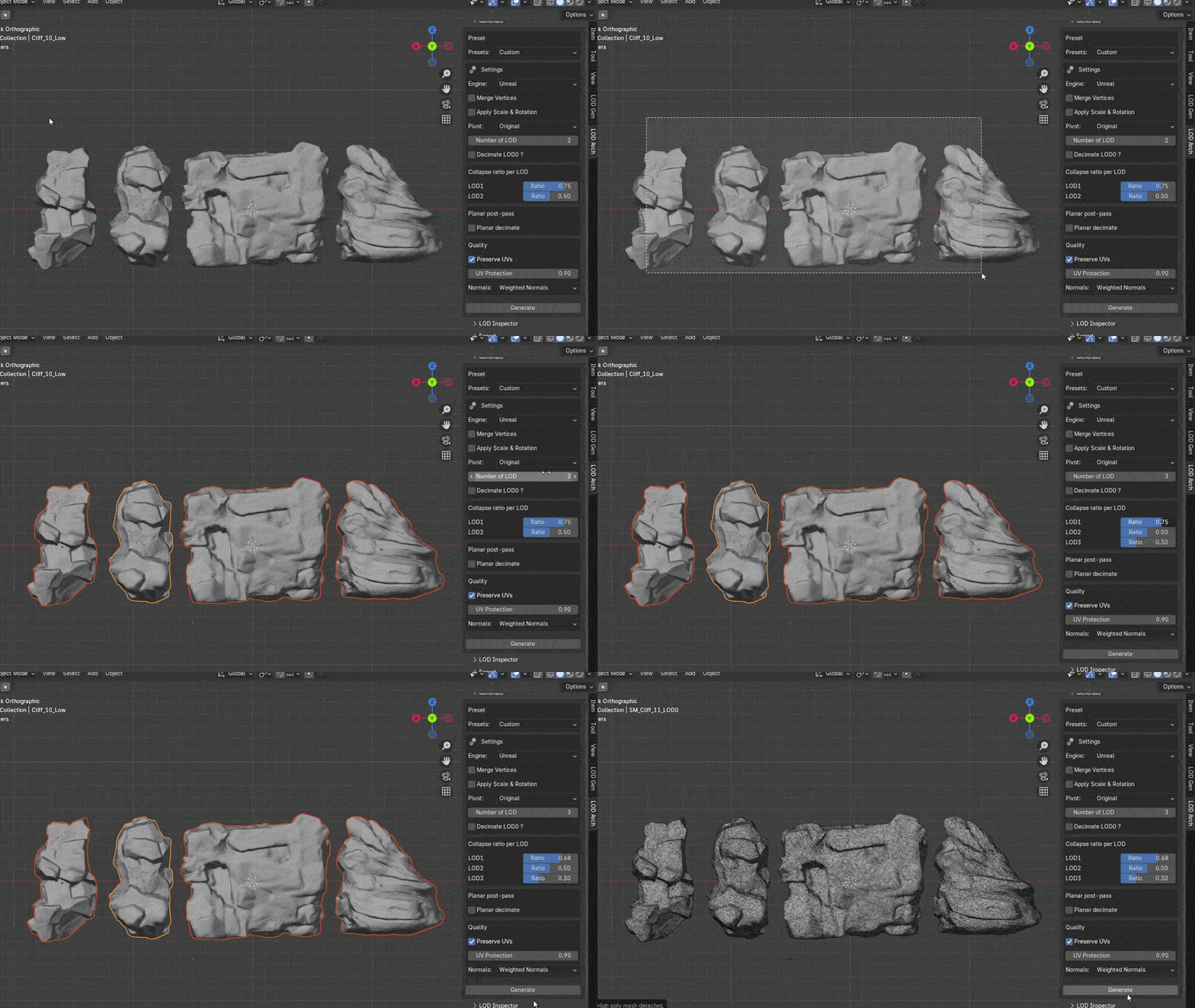
LOD Architect generates LOD0 through LOD4 directly in Blender with the naming convention and hierarchy Unreal expects on export. No manual renaming, no parenting, no property setup. The whole structure gets built automatically so you can stay focused on actually making assets.
But automating the structure is only half the problem. Automated decimation done poorly destroys your mesh. Most decimators apply the same algorithm across the entire mesh uniformly which ruins flat surfaces and hard edges. LOD Architect uses a combination of planar and collapse decimation. Collapse decimates the mesh evenly across the entire surface. Planar reduces flat surfaces more aggressively by targeting coplanar faces. Running both together means flat areas get decimated heavily where topology is wasted anyway, while curved and high detail regions stay relatively intact. The result is cleaner topology at lower LOD levels compared to running pure decimation alone.
UV preservation runs throughout the whole process. LOD Architect reads your existing UV seams and uses them as weighted boundaries during decimation so the edges that matter stay intact. Your seams stay clean across all LOD levels and texture snapping on LOD transitions becomes a non issue.
Lite vs Pro
The free Lite tier covers the core generation pipeline. Automated LOD0 through LOD4 hierarchy generation, batch generation across entire collections, Unreal and Unity export support and FBX format. Enough to evaluate whether it fits your workflow without committing to anything.
Pro unlocks the heavier production tools. Planar decimation and UV preservation for cleaner results at lower LOD levels. Godot support alongside OBJ and GLB export formats for pipelines outside of Unreal and Unity. And the LOD Inspector.
The LOD Inspector
The Inspector is a dedicated diagnostic tool built directly into the Blender viewport. It lets you preview each LOD level, check triangle counts in real time and verify your LOD transitions before exporting anything.
Why I Built This
Environment art pipelines involve a lot of repeated assets. Rocks, debris, modular pieces — everything needs LODs and doing that manually for a full kit is the kind of work that kills momentum. I wanted a tool that handles the technical setup completely so the only decision left is how aggressive the decimation should be per asset.
LOD Architect is available on Superhive with a free Lite version on GitHub.
- Pro Version: Buy on Superhive
- Lite Version (Free): Get it on GitHub